Reflex Cameras - Footage Motion Analysis Service
Smarter, Faster Bat Footage Analysis
Reflex Cameras - Footage Motion Analysis Service is a specialised video processing service designed to significantly reduce the time required to analyse any bat infrared (IR) or thermal footage.
Once we’ve received your videos, we’ll process them and create a series of timestamped JPEG images. Each image summarises all movement detected within a 15-second segment of video, helping you quickly identify when and where bat activity occurs.
Significant Time Savings
Our automated method eliminates the need to manually watch hours of footage. You can go straight to the moments that matter - the exact sections where bats are recorded - saving your hours of review time.
User feedback indicates that the service enables reviewers to process footage from around 25 emergence surveys per day - more than four times the number achievable by watching videos manually at 1.5x speed.
Improved Detection Accuracy
Manual analysis has two major limitations: fatigue and limited focus. As a result, fast-moving bats - which are often visible for less than a second as they emerge or re-enter - can easily be missed during review of a two-hour video, particularly when they blend into grey backgrounds.
Using our service even subtle or hard-to-detect bat movements become visible. The system is extremely sensitive to motion and highlights activity in clear red, green, and blue colours, making it simple to identify bat movements.
Our processing method reliably identifies and highlights key events such as bat emergence/ re-entry points and flight paths, enabling more accurate assessments than traditional manual review alone.
You Stay in Control
You, the ecologist, remain in charge of interpreting the results.
The timestamped JPEG images correspond directly to the original video, allowing you to quickly navigate to the relevant sections and verify motion events for yourself.
Advantages over Cloud-Based Services
Our service runs locally, meaning no time wasted keeping track and uploading gigabytes of footage to the cloud.
Uploading large video files can be slow, unreliable, and can even disrupt your internet connection for days. We’ve tested this firsthand and know how impractical it can be when dealing with multiple large files.
Instead, we offer flexible, practical options:
- Upload smaller batches of video to Google Drive (works well for smaller projects).
- Courier your data on a backed-up hard drive for large projects - we’ll cover the return shipping cost for datasets over 10 GB.
Pricing
£11 per hour of footage processed
This method delivers a reliable, efficient, and verifiable approach to bat activity detection - supporting ecologists and consultants in achieving accurate, defensible results with reduced processing time.
Example Results
The following examples illustrate the type of outputs produced by the Reflex Motion Analysis system. Each sequence of summary images highlights movement detected within the analysed video segments.
Example 1: Thermal Camera Detection
Bat emergence recorded using thermal imaging cameras.
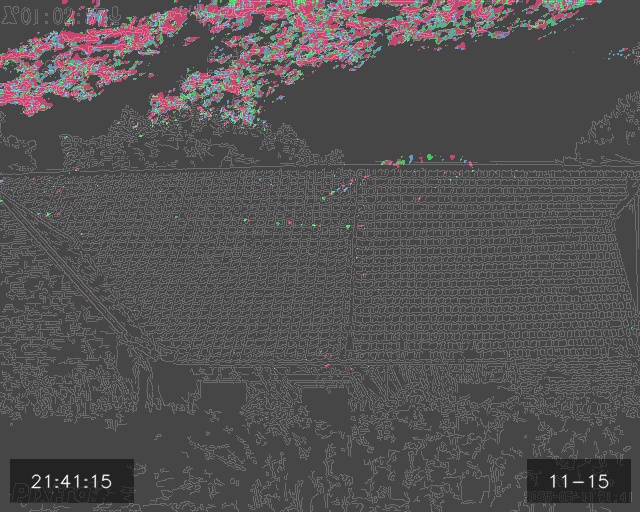
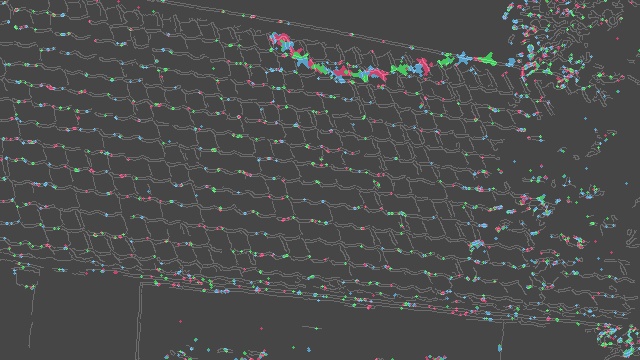
The processing highlights a trail of motion corresponding to a bat emerging from different locations on a building. The exact emergence location can be identified with ease. Movement in the clouds and bushes is also highlighted but this can be easily be distinguished from the bat activity.
Thermal Video 1 - Pixfra A613
Summary Image - Pixfra A613
Thermal Video 2 - Nightfox DV2
Summary Image - Nightfox DV2
Example 2: Infra-red Camera Detection
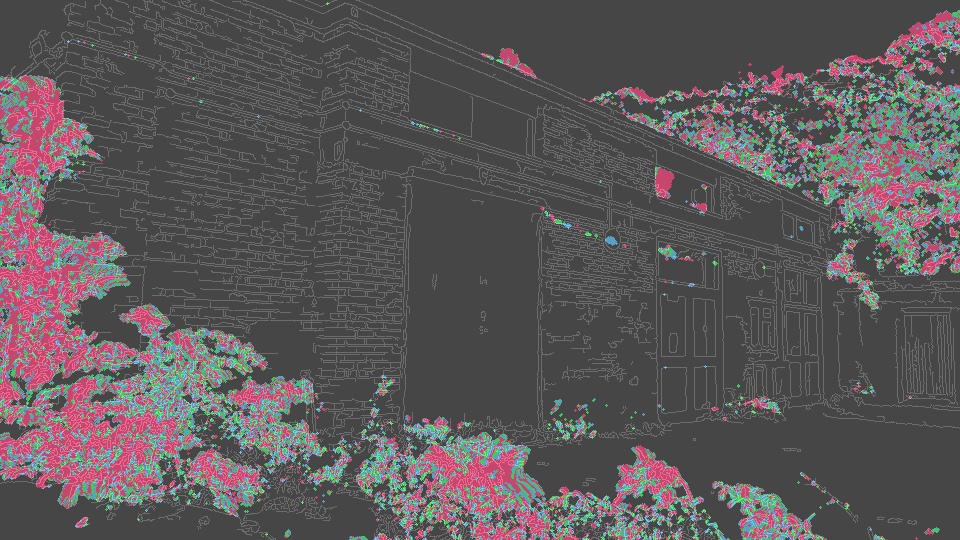
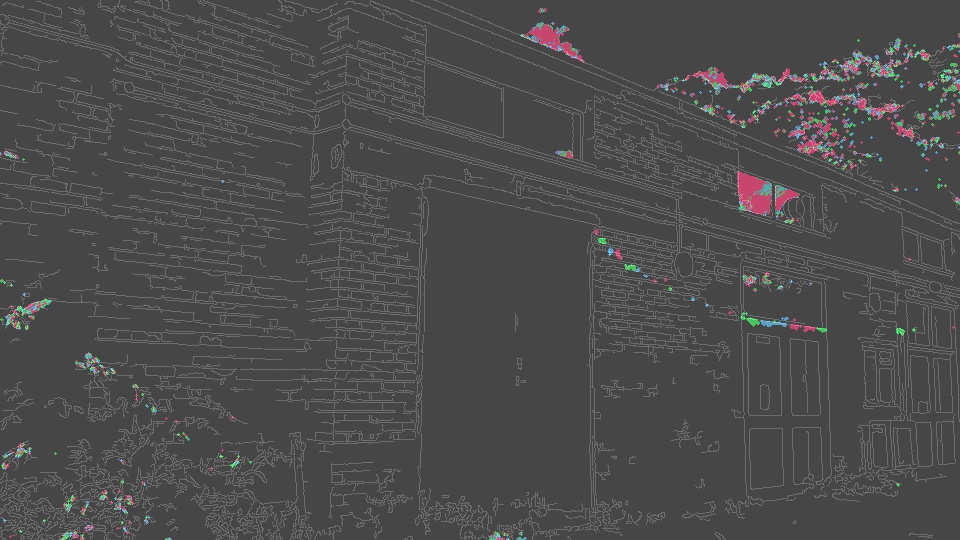
Bat emergence events from various buildings, several are difficult to see within the video but clearly displayed in the summary images. Bushes and clouds are moving in the field of view on several images but the bat emergence events are clear, this demonstrates the system’s high motion sensitivity and ability to distinguish between environmental movement and bat activity.
IR Video 1 - Sony AX53
Summary Image 1 - Sony AX53
IR Video 2 - Sony AX53
Summary Image 2 - Sony AX53
IR Video 3 - Canon XA30
Summary Image 3 - Canon XA30
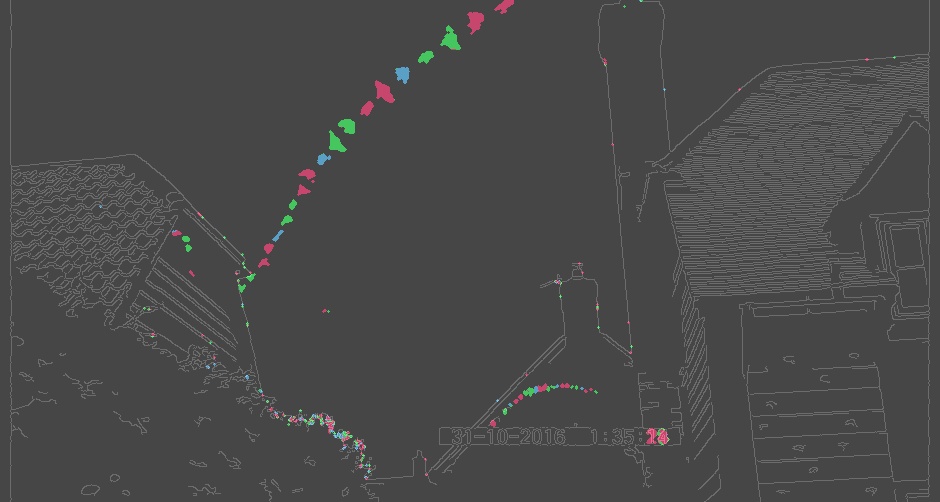
IR Video 4 - Sony AX53
Summary Image 4 - Sony AX53
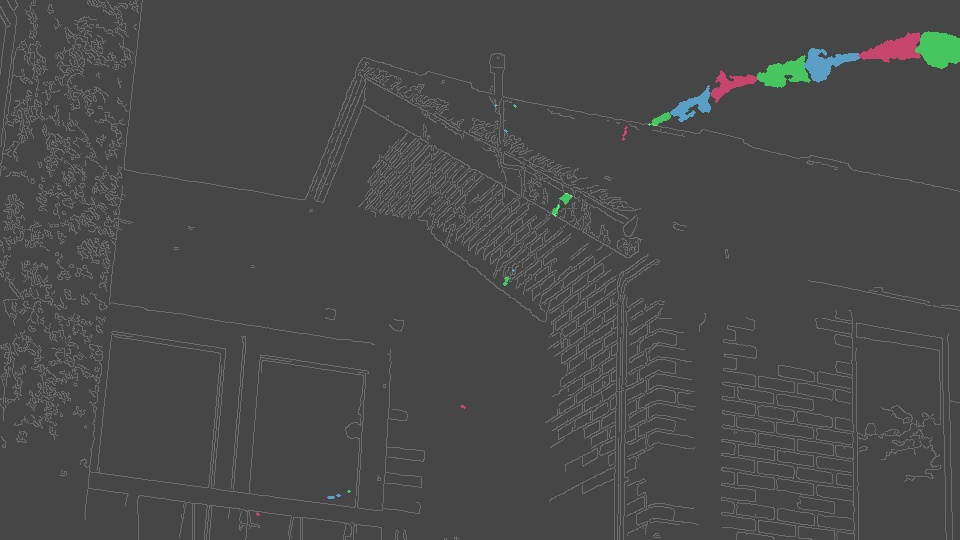
Video 5 - Sony AX53
Summary Image 5 - Sony AX53
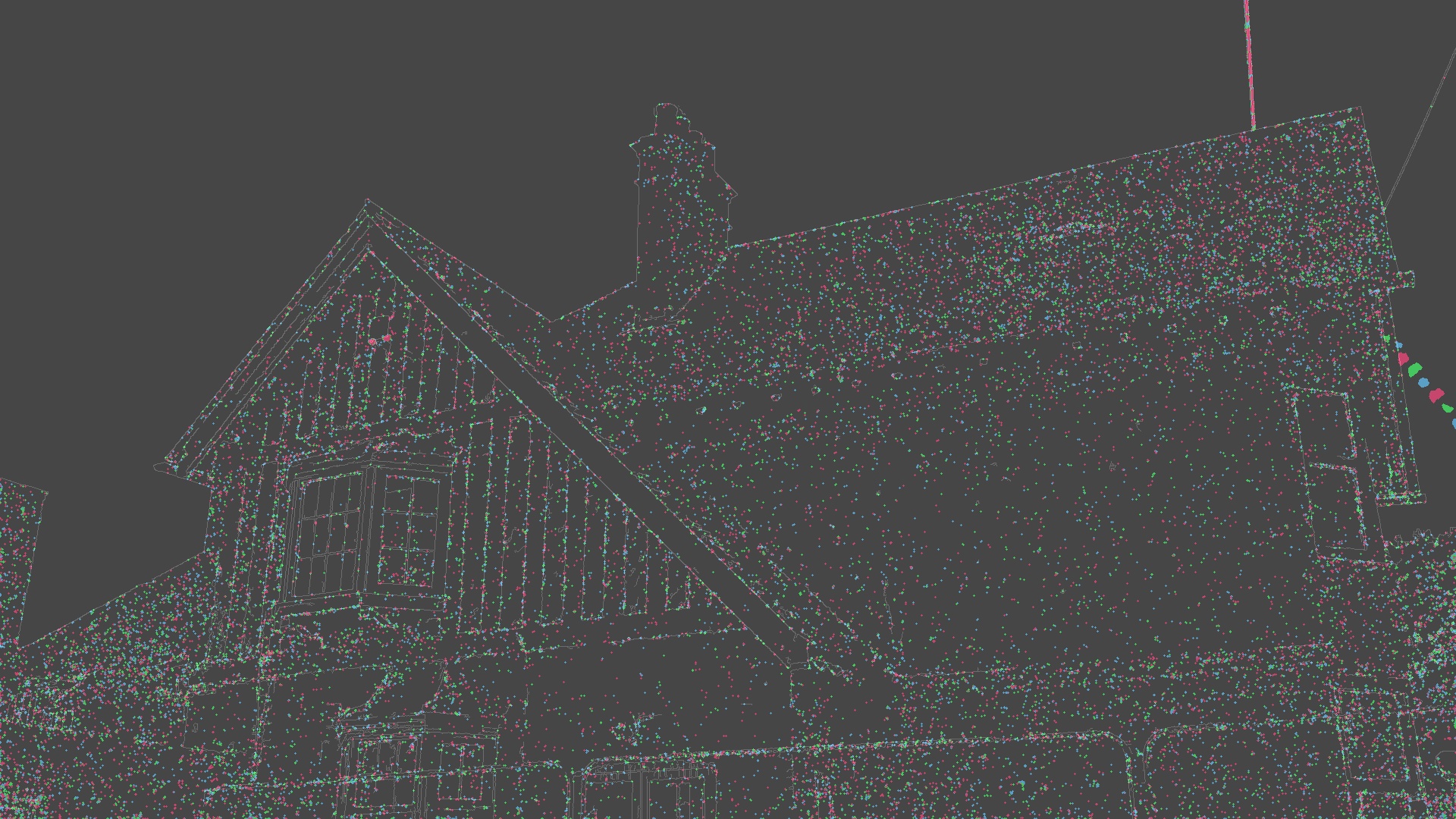
How the service works
Contact us via the contact form on our webpage and provide an estimate of the total size of all video files (in GB). A rough estimate - such as the total used space occupied by video files on your drive - is sufficient.
For small projects - Upload your files to Google Drive using the link we provide.
For larger projects - Courier your hard drive containing a backed-up copy of your data to our processing address (details will be provided after submission).
Upon receipt, we will run automated software to retrieve each video duration and compile a summary spreadsheet showing the total hours processed.
We will provide a quote based on the spreadsheet and number of hours of footage on the hard drive.
If the quote is accepted, we will proceed with the analysis within the agreed timescale (typically 1–2 days).
An invoice will be issued following completion of the analysis.
Payment can be made securely via a Stripe payment link, which supports Apple Pay, debit, and credit cards.
Instructions
Image Overview
Each JPEG represents a 15-second segment from a video file. Any motion within that window is overlaid as coloured trails on a black-and-white background. The colours follow a rotation pattern: Red → Green → Blue → Red → Green → Blue, and so on. This helps indicate the direction of movement.
File Naming
The name of each JPEG file includes the name of the original video file and the start time of the 15-second window it summarises. Note: this timestamp refers to the time within the video, not the actual time of recording.
Identifying Species:
- Moths appear as smooth, continuous trails.
- Bats and birds show irregular trails due to wingbeats.
With practice, you’ll start to recognise these patterns more easily.
Reviewing Video Clips
When you spot a bat-like trail, it’s best to review the corresponding 15 seconds of video using VLC Player:
Enabling motion detection can help but its not always reliable:
Go to Tools → Effects and Filters → Video Effects, then tick Motion Detect. This will highlight motion with white boxes.
Use the ‘E’ key to step through frames one by one for detailed inspection.
Speeding Up Your Workflow:
- Download files locally: Reviewing directly from the server can be slow. Downloading the images and videos to your computer will make loading much faster.
- Use FastPictureViewer: This program pre-loads images, allowing you to scroll through JPEGs quickly. Just hold down the arrow key to fly through them at speed.
FAQs
Has the software been tested, and how accurate is it?
Yes. The system has been tested in real-world scenarios, including for thermal and infrared recordings. It has been used on emergence and full nights of video as well as crossing point surveys.
It has consistently demonstrated reliable detection of bat movements, including emergence events, re-entries and flight lines.
If we have multiple projects on the same hard drive, can you split the cost?
Yes. We can split invoices and payments for different projects stored on the same hard drive.
To ensure this, please save the videos for each project in clearly labelled separate folders, and let us know before analysis begins so we can allocate costs accordingly.
What resolution should I record in?
Standard-resolution video is sufficient for accurate analysis - there is no requirement to record in high resolutions like 4K unless you specifically need that level of detail for your own review purposes.
Proper lighting and camera positioning are far more important factors, as they have a greater influence on the clarity and usefulness of the recorded footage.